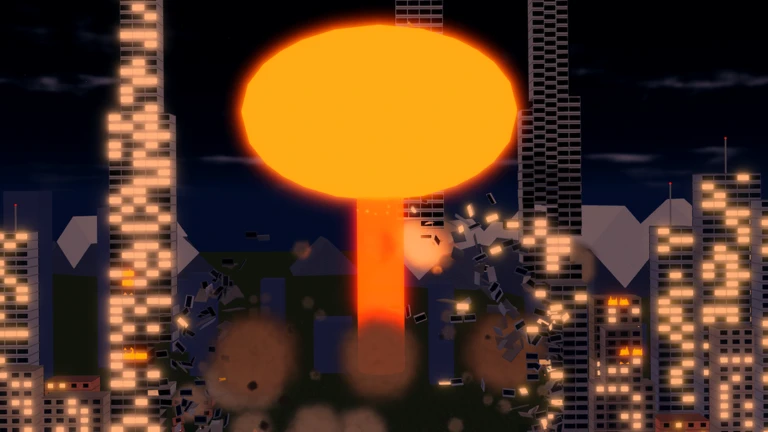
- Smash the City redeem codes currently include one verified code: SMASH for 5,000 Coins
- Codes come from the official Roblox game page by Kabooom Crew, not third-party sites
- Redemption takes under a minute through the in-game code interface
- New codes typically follow major updates, events, and community milestones
- Never trust sites asking for your password in exchange for codes
Smash the City Redeem Codes: Current Status
Smash the City redeem codes are short promotional strings that the developer, Kabooom Crew, releases to give players free in-game currency and bonuses. As of October 2026, the official Roblox game page lists a single active code. This guide covers the verified code, the redemption process, and how to stay updated when new codes drop.
| Code | Reward | Status | Verified Source |
|---|---|---|---|
| SMASH | 5,000 Coins | Active | Official Roblox game page |
The SMASH code gives a meaningful early boost. 5,000 Coins can fund several starter weapon upgrades, letting new players clear dense building clusters faster and reach the 25% and 50% destruction milestones sooner.
The SMASH code is confirmed directly from the official Roblox game page for Smash the City (checked October 2026). Codes can expire after updates or events, so redeem it as soon as possible.
How to Redeem Codes Step-by-Step
Redeeming a code in Smash the City follows the standard Roblox redemption flow. The entire process takes less than a minute once you are in a server.
Launch Smash the City
Open the game from the official Roblox page and wait for a server to load. Make sure you are logged into the correct Roblox account, since rewards bind to the account that redeems the code.
Open the Code Redemption Interface
Look for the code or settings button on the main in-game UI, usually marked with a code or gift icon. Click it to open the redemption window.
Enter the Code Exactly
Type or paste SMASH exactly as shown. Roblox codes are case-sensitive in most experiences, so avoid extra spaces or lowercase variations.
Submit and Confirm
Press the redeem button. If the code is valid, a confirmation message appears and the 5,000 Coins are added to your balance immediately.
If a code fails, check for typos, confirm you are on the Kabooom Crew version of Smash the City (game ID 129425166667725), and try rejoining a fresh server. Expired codes simply will not register.
Where New Codes Come From
New Smash the City redeem codes appear alongside content drops. The game updated on October 9, 2026, and event-based updates are the main trigger for fresh code releases. Follow the official channels below rather than random code aggregator sites.
| Channel | What to Expect | Reliability |
|---|---|---|
| Official Roblox game page | New codes in the game description after updates | ★★★★★ |
| Kabooom Crew community page | Announcements, events, and code posts | ★★★★★ |
| Roblox game description changes | Updated code lists tied to milestones | ★★★★ |
| r/roblox community discussions | Player-shared code reports | ★★★ |
Update Codes
- Released with new weapons and maps
- Usually the largest coin rewards
- Check after every patch
Event Codes
- Tied to limited-time events
- Shorter validity windows
- Redeem quickly when found
Milestone Codes
- Celebrate visits and player counts
- Posted on the community page
- Often single-use-per-account
Bookmark the official game page and the Kabooom Crew community page. Codes tied to events tend to expire quickly, so checking both after each update is the most reliable habit.
Avoiding Code Scams
Code scams are common around popular Roblox experiences. Stick to verified sources and treat any third-party claim with caution.
- Never enter your Roblox password on a site promising codes
- Avoid sites claiming to "generate" unlimited Coins — coin generators do not exist
- Ignore YouTube comments or DMs offering private codes in exchange for account access
- Cross-check any rumored code against the official game page before redeeming
| Red Flag | Safe Alternative |
|---|---|
| Site asks for login credentials | Redeem inside the game only |
| "Unlimited Coins generator" | Earn Coins through destruction milestones |
| Codes not on official channels | Verify on the Roblox game page |
| Paid code lists | Codes are always free from the developer |
Roblox support will never ask for your password to deliver codes. If a website requests it, leave immediately and report the site.
Using Your Coin Rewards Effectively
The 5,000 Coins from the SMASH code go furthest when spent early on efficiency upgrades rather than saved indefinitely.
Coin Spending Plan:
- Redeem the SMASH code for 5,000 Coins
- Upgrade a reliable area-clear weapon such as Missile or Tornado
- Run a dense building-cluster route to farm destruction progress
- Push toward the 25% and 50% destruction milestone rewards
- Reinvest milestone Coins into the next weapon tier
| Spending Priority | Why It Matters |
|---|---|
| Weapon efficiency upgrades | Faster clears mean more Coins per run |
| Area coverage improvements | Dense clusters fall in fewer attacks |
| Map unlocks | New areas offer higher-value targets |
| Cosmetic purchases | Optional; no impact on farming speed |
Always redeem available codes and milestone rewards before making major upgrade purchases, so you can plan upgrades with your full balance in view.
FAQ
Q: What are the current Smash the City redeem codes?
As of October 2026, the only verified active code is SMASH, which grants 5,000 Coins. It is confirmed on the official Roblox game page maintained by Kabooom Crew.
Q: How do I redeem codes in Smash the City?
Launch the game, open the in-game code redemption interface, type SMASH exactly, and submit. The 5,000 Coins are credited to your balance immediately if the code is still active.
Q: Why is my Smash the City code not working?
The most common causes are typos, extra spaces, or an expired code. Also confirm you are playing the Kabooom Crew version (game ID 129425166667725) and not the unrelated same-named experience, then try rejoining a fresh server.
Q: Where do new Smash the City redeem codes get announced?
New codes appear on the official Roblox game page and the Kabooom Crew community page, usually alongside updates, events, or player-milestone celebrations. Check both after each patch.